
How to Remove the OSD on DJI RC 2 (Clean HDMI Output)
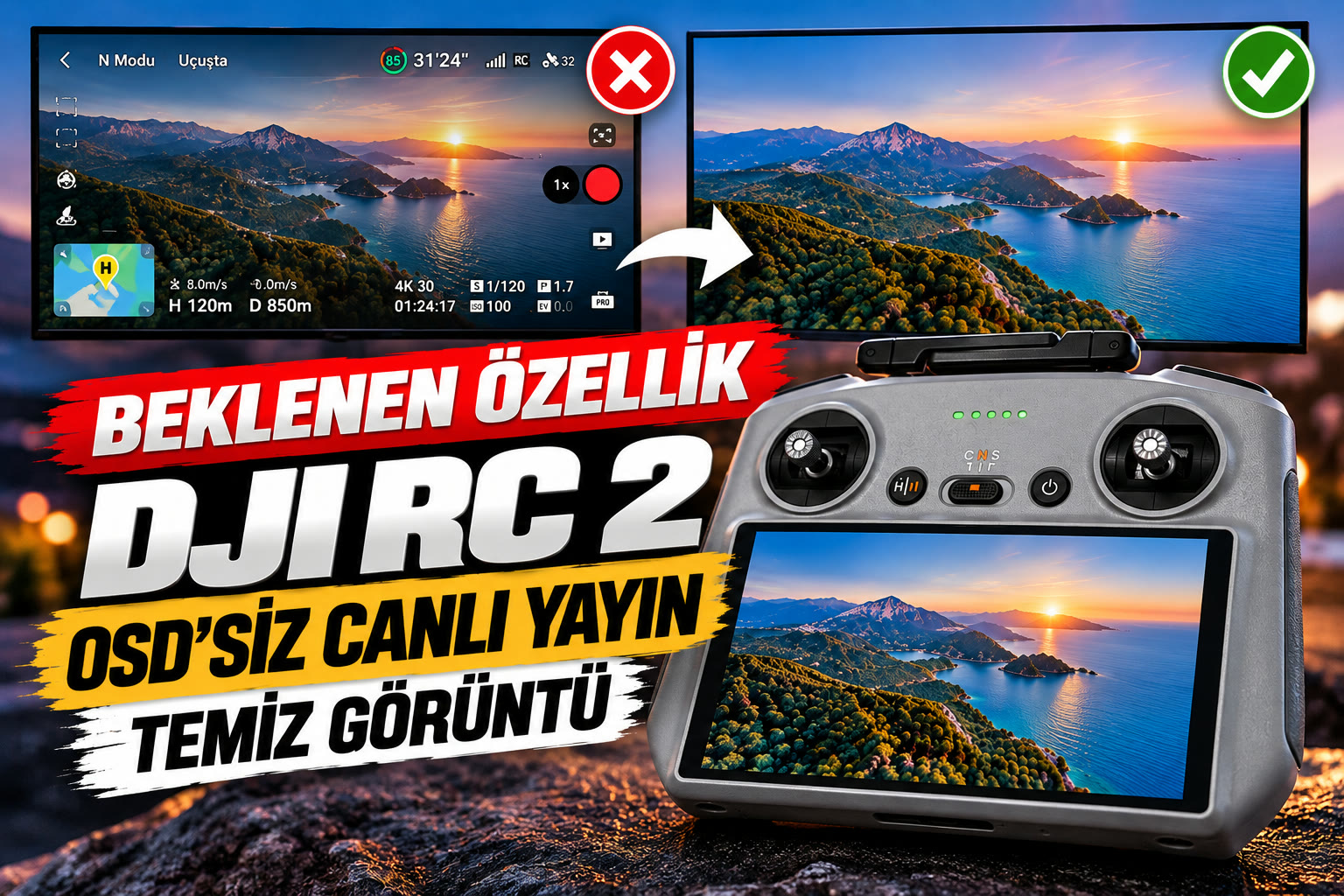
When you take video from the DJI RC 2 controller's Type-C port with a USB-C → HDMI adapter, all of the OSD (on-screen display) goes with it: altitude, speed, distance, battery, signal and menu buttons. We install OSD removal on your DJI RC 2, so your TV, LED wall or live-stream setup receives only the clean drone camera feed. The OSD removal software is not developed by us; we provide the installation. Our fee is a service fee (labour, service, installation and shipping), not a software price.
- OSD removed — no text or icons on the HDMI output
- USB-C → HDMI adapter straight to a screen or capture card
- Works with OBS, vMix, capture cards, TVs and LED walls
- Weddings, concerts, festivals, events and broadcasts
Where Is a Clean RC 2 Feed Used?
Live Streaming
Send the drone view to OBS, vMix, capture cards and video mixers without any overlay.
TVs and LED TVs
Connect the controller's USB-C port to a TV with an HDMI adapter and get a clean picture.
Weddings and Events
Show professional, text-free aerial footage on big screens at weddings and events.
Concerts and Festivals
Put the drone angle live on stage LED walls.
Fairs and Presentations
Project aerial views of sites and projects straight to a screen.
News and Sports
Add the drone camera to your program feed with no graphics in the way.
Watch the Clean Output
The clean HDMI picture from a DJI RC 2 after the OSD is removed.
Instagram'da İzleHow It Works
Contact Us
Message us on WhatsApp or fill in the request form; we'll explain the process.
Ship Your Controller by Cargo
We accept controllers by cargo only — ship it from anywhere in Türkiye.
We Install OSD Removal
We install it at our service and ship the controller back to you.
Connect via HDMI
Plug in a USB-C → HDMI adapter and the picture arrives clean.
DJI RC 2 OSD Removal — FAQ
How do I remove the OSD on DJI RC 2?
Ship your DJI RC 2 controller to us by cargo from anywhere in Türkiye. We install OSD removal so the USB-C → HDMI output shows only the camera image, then ship the controller back.
What is the OSD?
OSD (on-screen display) is the flight information drawn over the image: altitude, speed, distance, battery, signal and menu buttons. When you output the controller screen over HDMI, all of it appears on the external screen too.
How much does it cost?
The service fee for DJI RC 2 OSD removal is 2.500 ₺; it covers labour, service, installation and shipping, not the software itself.
Did you develop the OSD removal software?
No, the software is not developed by us. We provide the installation service; our fee covers labour, service, installation and shipping.
How do I send my controller?
We accept controllers by cargo only. Ship your DJI RC 2 from anywhere in Türkiye to our service in Fethiye, Muğla; contact us first so we can expect your package.
How do I connect the RC 2 to a TV or LED wall?
Plug a USB-C → HDMI adapter into the RC 2 and connect an HDMI cable to your TV, LED wall, capture card or video mixer. We can help you pick an adapter.
Türkçe Bilgi ve Talep Formu
DJI RC 2 OSD kapatma kurulumu. Hizmet bedeli 2.500 ₺. Kumandanızı yalnızca kargo ile teslim alıyoruz; Türkiye'nin her yerinden gönderebilirsiniz.